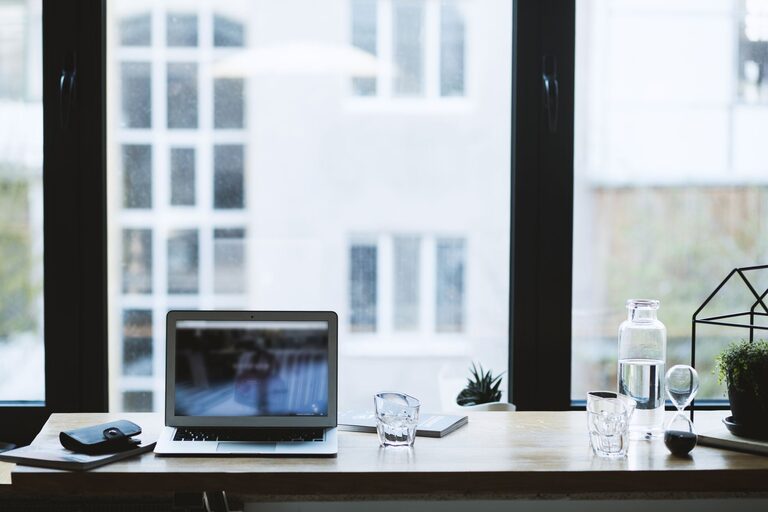
Creating a comfortable and productive home office space is essential for anyone working remotely or managing tasks from home. A well-designed workspace can improve focus, reduce stress, and help maintain a healthy work-life balance. Whether you are setting up a new office or revamping an existing one, these tips will guide you toward an environment that supports your best work.
Choose the Right Location
Consider Natural Light
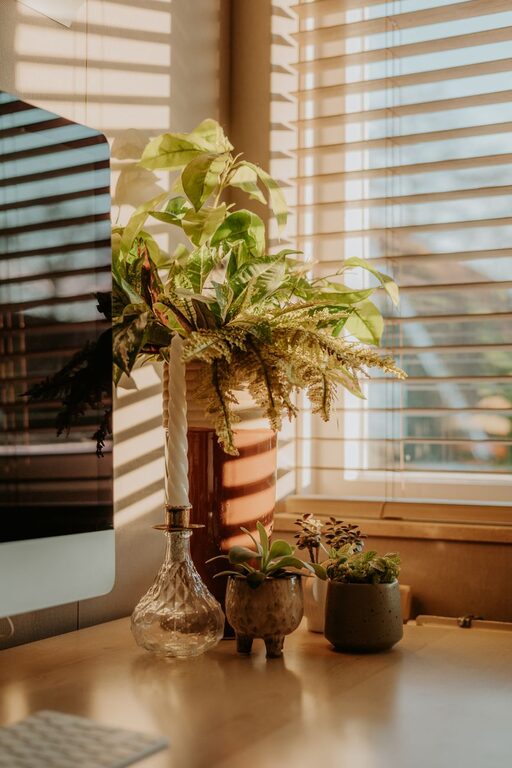
Natural light is a key factor in enhancing mood and energy levels. Position your desk near a window if possible. This not only helps reduce eye strain by providing balanced lighting but also offers a refreshing view that can boost creativity.
Find a Quiet Spot
Select a space with minimal noise and distractions. If you live with others, try to pick a room or corner where you can close the door or create physical barriers to limit interruptions.
Think About Space Needs
Make sure the area accommodates your needs comfortably. There should be enough room for your desk, chair, and any equipment or supplies you use regularly, plus some storage.
Invest in Ergonomic Furniture
Choose a Comfortable Chair
An ergonomic chair supports your posture, reduces back pain, and keeps you comfortable during long hours. Look for adjustable height, lumbar support, and cushioned seating.
Pick the Right Desk
Your desk should be at a comfortable height for typing and writing. If possible, consider standing desks or adjustable desks that allow you to alternate between sitting and standing.
Position Your Monitor Correctly
Place your computer monitor at eye level, about an arm’s length away. This setup helps prevent neck and eye strain.
Organize Efficiently
Declutter Regularly
A clutter-free workspace minimizes stress and distractions. Keep only what you need on your desk. Use drawers or organizers to store supplies neatly.
Use Functional Storage
Shelves, filing cabinets, and drawer organizers help keep documents and equipment in order. Labeling storage containers can make finding items easier.
Manage Cables
Organize cables with clips, sleeves, or trays to avoid a messy tangle. This not only looks better but also reduces the risk of tripping or equipment damage.
Optimize Lighting
Combine Natural and Artificial Light
In addition to natural light, use layered lighting: overhead, task, and ambient lights. A good desk lamp with adjustable brightness can reduce eye strain during late hours.
Choose the Right Bulbs
Opt for bulbs that mimic daylight (around 5000 Kelvin) to keep your space bright and stimulating. Avoid harsh, overly warm lighting which can feel sleepy.
Personalize Thoughtfully
Add Plants
Indoor plants improve air quality and add a touch of nature, creating a calming environment. Choose low-maintenance varieties if you don’t have a green thumb.
Decorate with Meaning
Use art, photos, or inspirational objects that motivate you without causing distraction. Keep decor minimal to maintain focus.
Choose Calming Colors
Soft, neutral colors like blues, greens, or light grays promote concentration and calmness. Avoid overly bright or flashy colors that may become tiring.
Manage Noise and Distractions
Use Noise-Canceling Headphones
If ambient noise is unavoidable, noise-canceling headphones can help create a focused auditory environment.
Soundproof Your Space
Rugs, curtains, and wall hangings can absorb sound and reduce echo. Door seals or weather stripping can block outside noise.
Maintain Work-Life Balance
Set Boundaries
Define your “work hours” and make it clear to family or housemates. This helps minimize interruptions and sets expectations.
Create a Daily Routine
Start and end your workday with consistent rituals. A routine signals your brain it’s time to focus and when to relax.
Take Breaks
Incorporate short breaks into your day to stretch, walk, or rest your eyes. Breaks boost overall productivity and well-being.
Use Technology Wisely
Reliable Internet and Equipment
Ensure your internet connection is stable. Invest in good-quality peripherals like a keyboard, mouse, and webcam to enhance your experience.
Use Productivity Tools
Apps for task management, time tracking, and communication can help keep you organized and connected with colleagues.
—
By thoughtfully designing your home office with comfort, efficiency, and personal preferences in mind, you can create a space that makes working from home a more enjoyable and productive experience. Small changes can make a big difference, so start with these tips and adjust based on what works best for you.